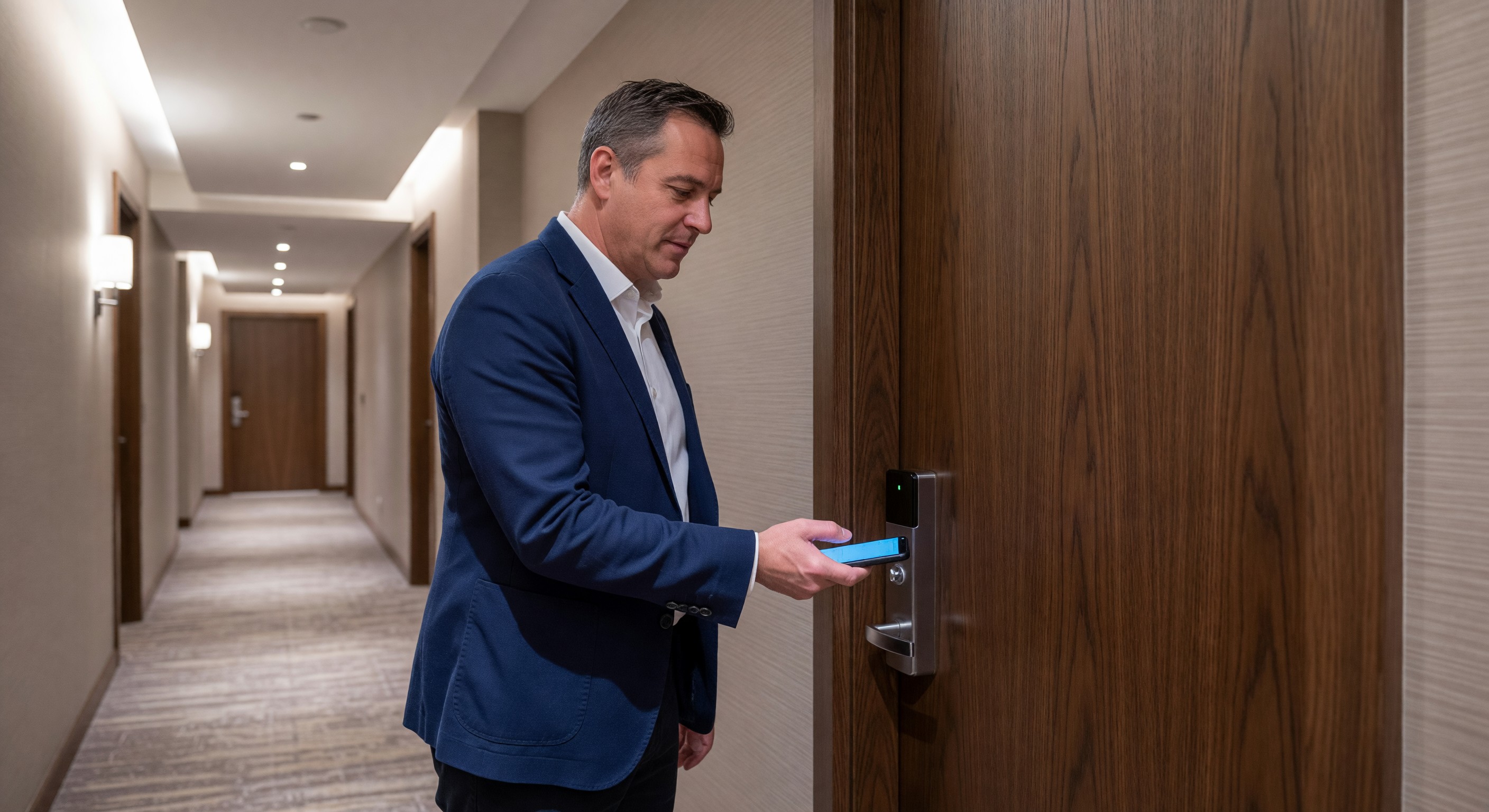
Mobile key — using a smartphone as the guestroom door credential — has moved from a premium differentiator to an expected capability at upper-upscale and luxury properties, and is rapidly becoming the same at upscale and even select-service hotels. Branded hotel chains have accelerated mobile key deployment through their loyalty apps, creating guest expectations that independent and franchised properties must address.
For facility managers, mobile key implementation involves both the lock hardware layer (which is facility’s domain) and the technology integration layer (which straddles facility and IT). Understanding both is necessary to make good decisions about system selection and implementation.
How Mobile Key Works
The Technology Stack
Mobile key systems use two primary radio technologies:
NFC (Near Field Communication): The phone must be held very close to the reader (typically within 1–2 cm). The same technology used in Apple Pay and contactless credit cards. Works on modern iPhones and Android devices. Does not require the phone screen to be on (with some implementations).
Bluetooth Low Energy (BLE): The phone communicates with the reader at distances up to a few meters. Enables “hands-free” approaches where the door unlocks as the guest approaches without deliberately holding the phone to the reader. Requires Bluetooth enabled and, for some implementations, the hotel app running in the foreground or background.
Most hotel mobile key implementations use BLE for the guestroom door and may use NFC for other access points (elevator, amenity areas, parking). Some systems support both.
Credential Issuance
The mobile key credential is issued through the hotel’s mobile app:
- Guest downloads the hotel app (if not already installed) or opens the brand loyalty app
- Guest completes online check-in (often required before key issuance)
- Hotel generates a digital key credential and sends it to the app
- The credential is stored securely on the guest’s device (not on the hotel’s servers in plaintext)
- Guest holds phone to reader or approaches the door — credential is transmitted to the lock, verified, and the door unlocks
The entire credential lifecycle — issuance, use, and expiration — is managed by the hotel’s mobile key management platform, which integrates with the PMS.
Security Architecture
Mobile key security is significantly more robust than physical key card security:
- Credentials are cryptographically signed and validated at each use
- The credential includes the room number, check-in date, and checkout date — the lock verifies all parameters
- Credentials can be revoked instantly if the guest checks out early, reports their phone lost, or for any other reason
- The communication between the phone and the lock is encrypted
- Unlike a physical keycard, a phone can’t be copied by a simple magstripe or RFID reader
Lock Hardware Requirements
Not all electronic lock systems support mobile keys. Mobile key capability requires:
BLE or NFC-capable lock controllers: The lock hardware must include the radio hardware for the credential technology. Many locks from 2015 onward have BLE capability; some older systems have software-locked BLE that wasn’t originally enabled.
Online connectivity: Credential validation for mobile keys typically requires the lock to communicate with the hotel’s credential management server. This requires an online lock (connected to the hotel’s network via WiFi or a wired connection). Offline locks — which don’t communicate with the hotel network — cannot verify mobile credentials in real time.
Compatible firmware: Even hardware-capable locks may need firmware updates to support mobile key functionality. Verify with your lock vendor.
Mobile key software license: Mobile key capability is often a separately licensed software feature from the lock system vendor. Budget for this ongoing cost.
PMS Integration
Mobile key is only as valuable as its integration with the property management system. Without PMS integration:
- Keys must be manually issued for each guest rather than automatically
- Early checkout doesn’t automatically revoke the key
- Mobile key doesn’t connect to the broader digital check-in experience
With proper PMS integration:
- Mobile key is issued automatically when online check-in is completed
- Key access window matches the reservation dates
- Early checkout, room change, and stay extension all automatically update the key
- Lock access events feed back to the PMS for audit purposes
Most major PMS platforms have documented mobile key integrations with the major lock system vendors. Verify the specific integration before selecting either system.
Implementation Planning
Pre-Implementation Assessment
Before deploying mobile key, assess:
Lock hardware compatibility: Survey all locks on the property. Are they capable of mobile key? What hardware upgrades are needed? What’s the cost per lock?
Network infrastructure: Online locks require WiFi coverage throughout the building — in guestroom corridors and ideally within rooms. If current WiFi coverage is inadequate for online locks, a WiFi infrastructure upgrade must precede or accompany mobile key deployment.
PMS integration: Is the specific integration between your PMS and the proposed mobile key platform documented and production-tested (not just “on the roadmap”)?
App platform: Mobile key typically requires the hotel’s own app or a brand loyalty app. If the property doesn’t have a mobile app, that’s an additional development or licensing cost.
Phased Deployment
Mobile key deployment is best done in phases:
Phase 1: Deploy on a single floor or wing. Work out configuration, testing, and guest communication issues at smaller scale before full deployment.
Phase 2: Deploy to loyalty members, early adopters, and business travelers — segments most likely to adopt and provide useful feedback.
Phase 3: Full deployment with refined guest communication and support protocols.
Training Requirements
Front desk and engineering staff need training before mobile key goes live:
Front desk: How to offer mobile key at check-in, how to troubleshoot common guest issues, how to issue a physical key if mobile key fails.
Engineering: How to diagnose mobile key failures (connectivity issue vs. credential issue vs. hardware issue), how to access mobile key management tools to revoke or reissue credentials.
Guest Adoption Strategies
Mobile key adoption varies significantly by property and guest demographic. Business travelers and tech-savvy guests adopt quickly. Leisure travelers, particularly older demographics, are slower to adopt.
Strategies that improve adoption:
Proactive pre-arrival communication: Send an email or push notification 24–48 hours before arrival explaining mobile key, how to access it, and its benefits.
Make online check-in a prerequisite: Guests who complete online check-in to choose their room get the mobile key as part of the process — the adoption is built into the workflow.
Clear benefits communication: “Go straight to your room — no need to stop at the front desk” is a compelling message that resonates with frequent travelers.
Keep physical key as fallback: Never force mobile key on guests who aren’t comfortable with it. Physical key availability without friction preserves guest satisfaction for non-adopters.
Troubleshooting Common Issues
Phone not recognized at door: Verify that Bluetooth is enabled on the phone, the hotel app is installed and logged in, and the credential is visible in the app. If all of these are correct, try holding the phone closer to the reader (some BLE implementations require proximity). If still not working, check whether the lock has lost its network connection.
Key says it’s valid but door doesn’t open: Most common cause is an offline lock. Check the lock’s network connectivity status in the management portal. If the lock is offline, the credential validation can’t complete. Physical key needed until the connectivity issue is resolved.
Key expired early: Usually a checkout time discrepancy between the PMS and the key credential. Check whether a room change or stay extension didn’t sync properly to the mobile key platform.
App not showing the key: Check whether push notifications are enabled for the app (required for key delivery on some platforms). Log out and back in. If the key was issued more than 24 hours ago without being accessed, it may need to be reissued.
FAQ
Do guests need to download an app to use mobile key? With most current implementations, yes — a hotel brand app or loyalty app. Some systems are developing web-based key delivery that doesn’t require app installation, using the browser-based NFC API. This is still emerging technology and not yet universal. NFC wallet integration (Apple Wallet, Google Wallet) is the direction the industry is moving to eliminate app download friction.
What happens if a guest’s phone battery dies? They need a physical key. There is no workaround for a dead phone in any current mobile key implementation. Front desk staff should be prepared to issue physical keys quickly for this scenario without making the guest feel criticized for having a dead phone.
Is mobile key more secure than a physical keycard? Yes, significantly. Physical keycards (particularly magstripe) are easily cloned. NFC RFID cards are harder but still possible to copy with specialized equipment. Mobile key credentials use cryptographic signing that makes copying practically infeasible. Additionally, mobile keys can be instantly revoked, unlike physical cards that can’t be disabled after being issued.
What’s the cost of retrofitting an existing property with mobile key capability? Highly variable. If the existing lock hardware is mobile key capable (BLE equipped), the cost is primarily the software license, network infrastructure upgrades, and implementation labor — potentially $50,000–$150,000 for a 200-room property. If the locks need hardware upgrades or replacement, costs increase significantly.
Further Reading from Authoritative Sources
- HFTP hotel mobile key technology standards and implementation guidance — HFTP provides hospitality technology standards for mobile key system evaluation, lock hardware compatibility assessment, PMS integration requirements, and guest adoption measurement applicable to hotel mobile key program planning, deployment phasing, and operational management.
- AHLA hotel mobile key deployment and guest experience standards — AHLA provides hospitality industry guidance on mobile key program implementation, guest adoption strategies, security architecture standards, and operational protocols applicable to hotel mobile key system selection, staff training requirements, and guest satisfaction management.