Digital signage has become standard in full-service and upscale hotels — in lobbies, elevator banks, meeting room corridors, and outside individual meeting rooms. When deployed and managed well, it improves guest navigation, communicates event information effectively, and creates a professional impression. When deployed and neglected — wrong-day schedules on meeting room boards, outdated promotional content in lobbies, broken screens displaying connection errors — it creates exactly the opposite impression.
For facility managers who often own the physical installation and technology infrastructure of digital signage systems, understanding how they work and what they require is as important as for the marketing or sales teams who control the content.
Digital Signage System Architecture
A hotel digital signage system consists of:
Display hardware: Commercial-grade flat panel displays, LED video walls, or outdoor digital displays. Properly specified commercial displays are rated for 16–24 hour daily operation, which consumer displays are not.
Media players: The computer that drives each display, feeding it content from the content management system. May be an external device connected to the display via HDMI, or built into the display (SoC — System on Chip players).
Content management system (CMS): The software platform where content is created, scheduled, and distributed to displays. This is the operational hub of the signage network.
Network infrastructure: Displays connect to the hotel’s network (typically via Ethernet or WiFi) to receive content updates and communicate status back to the CMS.
Mounting hardware and installation: Appropriate brackets, cabling, and installation for each display location.
Display Placement Strategy
Meeting Room Corridor Displays
Corridor displays outside meeting rooms serve a specific and high-value function: showing the day’s meeting schedule so attendees can find the right room. This application has clear ROI — it reduces the traffic to the front desk or catering for directions, and it creates a professional impression for corporate groups.
Display sizing for meeting room corridors:
- Beside-door displays (portrait orientation): 32–43 inch displays showing room name, current event, and next event
- Corridor-facing (landscape): 43–55 inch displays showing the full-day schedule for multiple meeting rooms
Integration with event management system: The highest-value configuration syncs the digital signage with the hotel’s event management or sales system (Delphi, Caterease, Tripleseat, etc.) so that the schedule updates automatically when bookings change. Without this integration, someone must manually update the meeting room schedule boards — a time-consuming task that is routinely not done, resulting in outdated or incorrect information on display.
Lobby Displays
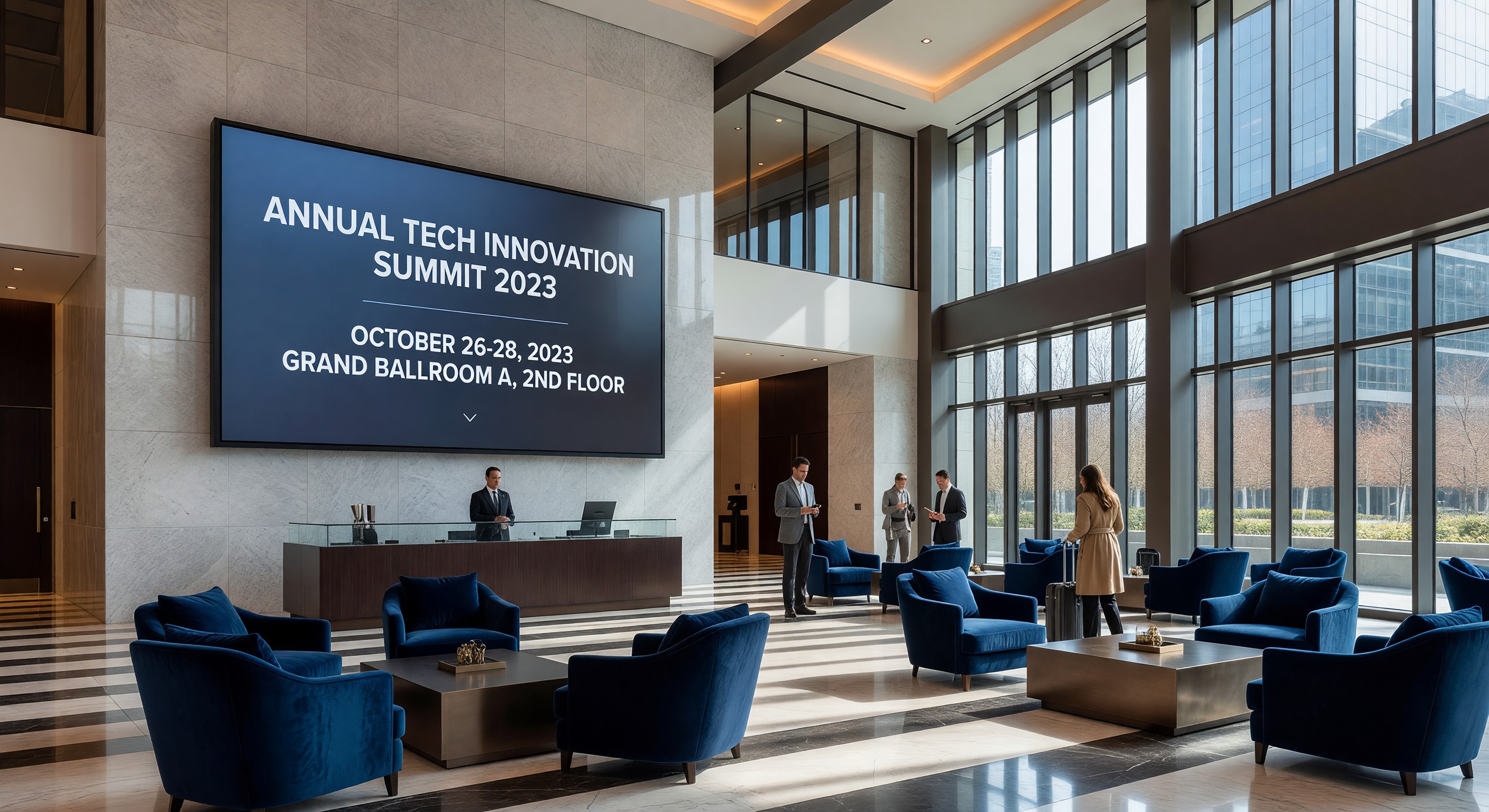
Lobby digital signage serves a different function — brand communication, wayfinding, and guest information. Appropriate content includes:
- Welcome messages for arriving groups
- Today’s event schedule (building-wide)
- Hotel amenity hours
- Local weather and information
- Brand promotional content
The temptation to overload lobby displays with promotional content should be resisted. Guests who need wayfinding information look at the lobby display for useful information; if they see advertising instead, they stop looking.
Elevator Lobby Displays
Elevator lobby screens have a captive audience with 30–90 seconds of dwell time. Appropriate content:
- Current floor map and event locations
- Today’s highlighted amenities or special offerings
- Property news or seasonal promotions
Short content loops (30–60 seconds) match the average elevator wait time.
Content Management
CMS Selection Criteria
The content management system is where the operational work of digital signage happens. Evaluation criteria:
Ease of use: Non-technical hotel staff (the marketing coordinator, the event manager) need to be able to update content without engineering involvement. CMS platforms with complex interfaces get abandoned.
Scheduling capability: The ability to schedule content by time of day, day of week, and specific dates. A lobby display showing breakfast promotion at 8 AM and dinner promotion at 5 PM requires reliable time-based scheduling.
Event management integration: For meeting room applications, direct integration with your event management system eliminates manual entry and keeps displays accurate.
Multi-zone layouts: The ability to display different content in different zones of a single screen (schedule in one section, weather in another, hotel information at the bottom) without requiring a separate media player per zone.
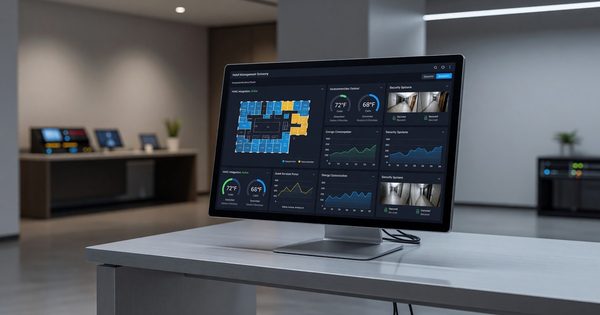
Remote monitoring: The CMS should show the status of every display in real time — which ones are on, which are offline, which have content update errors. This is the management tool that tells you about problems before guests complain.
Cloud vs. on-premises: Cloud-based CMS platforms are more common for new deployments. They eliminate on-premises server requirements and simplify access from anywhere.
Content Standards and Governance
Left to their own devices, multiple stakeholders will want to put their content on hotel displays. Establish a content governance framework:
- Define who can create and publish content for each display zone
- Establish content approval requirements (minimum: marketing review for any customer-facing content)
- Set template standards (brand fonts, colors, image requirements)
- Define maximum content age (lobby promotional content should be refreshed at least monthly)
- Prohibit unauthorized equipment connections to the signage network
Typical Content Maintenance Schedule
Daily: Meeting room corridor displays update automatically from event management system (ideally) or are manually verified each morning
Weekly: Lobby content reviewed for accuracy and freshness. Promote current events, seasonal offerings, and upcoming property news.
Monthly: Full audit of all display content. Remove outdated items. Assess whether current content is aligned with marketing priorities.
Hardware Installation and Maintenance
Commercial vs. Consumer Displays
This distinction matters significantly in hotel applications. Commercial displays:
- Rated for 16–24 hour continuous operation (consumer: 4–8 hours)
- Designed to be used without bezels, mounts, and brackets compromising structural integrity
- Have portrait mode capability without image degradation (consumer panels often have backlight that sags in portrait orientation)
- Provide enterprise management capabilities (network control, remote power management)
- Come with 3-year or longer warranties designed for commercial environments
The premium over consumer displays is 30–60%. In hotel signage applications, the extra cost is justified by reliability and operational capability.
Mounting and Cable Management
Professional installation is essential for a finished result. Key requirements:
- Properly rated wall anchors for display weight (includes vibration and seismic requirements in applicable areas)
- Concealed cable runs (exposed cables undermine the professional appearance digital signage is supposed to create)
- Appropriate power circuit (dedicated circuit for each display in high-voltage commercial applications)
- ADA consideration for displays in accessible areas (screen height, reach range for interactive applications)
Preventive Maintenance
Commercial displays in hotel environments require periodic maintenance:
- Bi-annual cleaning of screen surface and vents
- Annual check of mounting hardware torque
- Firmware updates to media players and displays (typically quarterly)
- Content audit and cleanup (quarterly minimum)
Common Operational Problems
Displays showing connection errors or CMS branding: This means the media player has lost its network connection or the CMS is down. Add all signage displays to network monitoring so offline devices alert immediately.
Meeting room displays showing wrong-day information: Almost always a CMS integration failure or manual update neglect. Fix by requiring morning verification of all meeting room displays as part of the opening duties for the events or sales team.
Lobby content out of date (last year’s holiday promotion in March): Governance problem — no one has review responsibility for lobby content. Assign a named owner for each display zone and establish a review calendar.
Display brightness too high for ambient light: Commercial displays should have automatic brightness control based on ambient light sensors, or should be manually calibrated to appropriate brightness for the installation environment. Displays at full brightness in a dimly lit lobby are jarring and consume unnecessary energy.
FAQ
How many displays can one media player drive? A single media player can drive one display in a standard single-screen configuration. For video walls (multiple displays acting as one large image), a video wall controller manages multiple displays. Some advanced media players support two-display output. In general, budget one media player per distinct display location.
Should we deploy interactive touchscreens for hotel wayfinding? Interactive kiosks have been deployed at various hotel properties with mixed success. The failure mode is typically high maintenance burden (screens require frequent cleaning, touchscreens develop calibration issues, and software requires updates). If deploying interactive kiosks, budget significant ongoing maintenance resources and have a clear plan for keeping software current.
What’s the right screen size for meeting room corridor displays? 32–43 inches in portrait orientation for single-room beside-door displays. 55 inches or larger in landscape for multi-room corridor directories. Bigger is generally better as long as the mounting location can accommodate it — guests shouldn’t need to lean in to read the text.
How do we handle digital signage during a system outage? Ensure that your meeting room corridor displays show a useful failsafe message when offline (“Please see the front desk for event information”) rather than a black screen or error message. The CMS should allow configuration of an offline fallback content loop. Plan for this scenario explicitly during system setup.
Further Reading from Authoritative Sources
- HFTP digital signage and hospitality technology standards — HFTP provides hospitality technology professionals with standards and best practices for digital signage deployment, integration with hotel operational systems, and content governance frameworks.
- ADA accessibility requirements for hotel digital signage — ADA.gov provides accessibility requirements for hotel public area technology including digital signage placement, screen height standards, and interactive kiosk accessibility specifications.