Hotel meeting and conference spaces generate significant revenue — often 15–30% of total property revenue at full-service properties — and AV technology is increasingly the differentiator that wins or loses corporate event bookings. Planners evaluating event venues ask specific questions about display resolution, wireless presentation capability, room camera quality, and technical support availability. Properties with dated AV infrastructure lose bookings to competitors who have invested in current technology.
For facility managers, conference AV presents a distinct management challenge from guestroom technology. The systems are more complex, the user base varies from technically sophisticated corporate IT managers to guests who’ve never operated a HDMI switcher, and the consequences of failure — a presentation that won’t display, a video call that won’t connect — are highly visible and immediately reported.
Core AV System Components
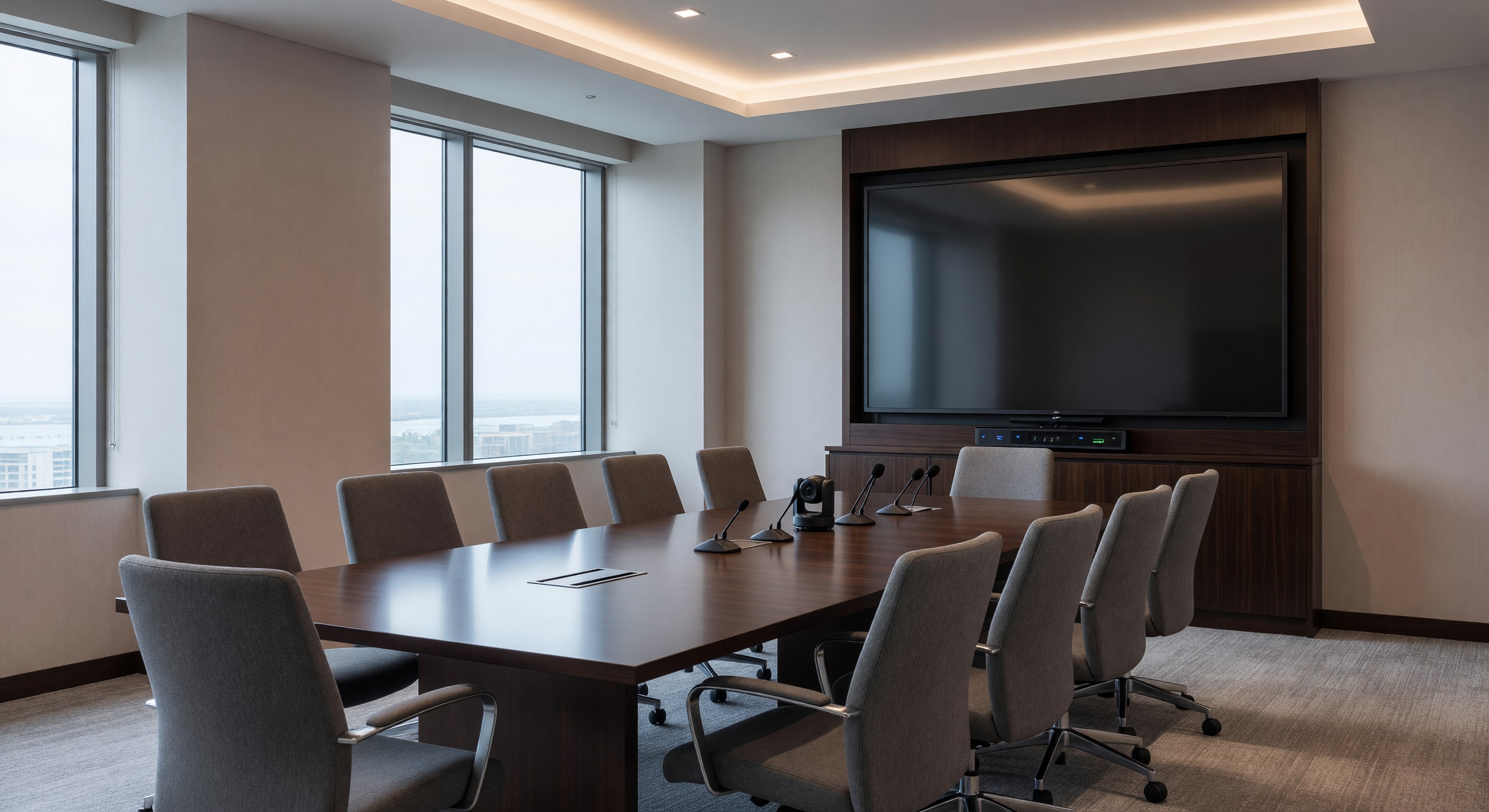
Display technology: Modern hotel meeting spaces should specify 4K commercial displays (not consumer televisions) or laser projectors. Commercial displays are designed for extended operational hours, offer better connectivity and management features, and carry commercial warranties appropriate for hospitality use. For spaces up to 400 square feet, a 75–85" commercial display typically suffices. Larger ballroom or multi-purpose spaces benefit from short-throw laser projectors or LED walls that eliminate the lamp replacement and image-shift maintenance challenges of traditional lamp projectors.
Audio systems: Speech intelligibility is the primary audio requirement in meeting spaces. Ceiling-mounted distributed audio systems with speech-optimized frequency response outperform single-speaker or stereo systems for voice clarity. Microphone options include ceiling-mounted array microphones (preferred for video conferencing — guests sit anywhere without handling equipment), wireless handheld and lavalier systems for presentations, and boundary microphones at conference tables. The most common meeting audio complaints — “can’t hear the speaker” and “the people on the video call can’t hear us” — both trace to underspecified microphone systems.
Video conferencing systems: Post-pandemic, video conferencing capability in meeting rooms is a baseline expectation for corporate bookings. Purpose-built video conferencing room systems (Logitech Rally, Poly Studio, Cisco Webex Room systems) provide far better image and audio quality than laptop cameras used on a display. They also allow guests to join calls without plugging in their own equipment. Support for the major cloud platforms (Zoom, Teams, Google Meet, Webex) is essential — BYOM (Bring Your Own Meeting) configurations that allow guests to control calls from their own laptop while using the room’s camera and audio are the current corporate standard.
Wireless presentation: Guests expect to walk in and connect their laptop to the display wirelessly without drivers or adapters. Wireless presentation systems (Crestron AirMedia, Barco ClickShare, Mersive Solstice) enable cable-free presentation from Windows, Mac, iOS, and Android devices. These systems must be network-isolated from guest WiFi to prevent unauthorized access to meeting content.
Control systems: Touch panel control systems (Crestron, Extron, QSC) allow guests to control display input selection, audio volume, lighting, shading, and HVAC from a single interface. Well-designed control systems dramatically reduce AV failure calls because guests can self-serve input switching and volume adjustment without engineering assistance.
Network and Connectivity Requirements
Meeting space network requirements differ from guestroom requirements in several key ways:
Bandwidth: A single video conference room may simultaneously run multiple cloud meetings (breakout rooms), stream content to displays, and support participant devices — requiring 50–100 Mbps of dedicated, guaranteed bandwidth. Shared conference WiFi on a congested hotel network fails exactly when it matters most.
VLAN segmentation: AV systems, video conferencing systems, and control systems should be on separate VLANs from guest WiFi. This provides network isolation for security, allows QoS policies to guarantee bandwidth for video conferencing, and separates AV system management from guest network congestion.
Wired connections: Despite the preference for wireless, boardrooms and breakout rooms should maintain wired Ethernet options for guests who need guaranteed bandwidth. HDMI, USB-C, and DisplayPort connections at the table accommodate guests whose laptops don’t support wireless presentation.
Preventive Maintenance for Conference AV
Conference AV systems require proactive maintenance rather than reactive troubleshooting during events:
Pre-event room check: All AV-equipped meeting spaces should be tested before each booking. A checklist covering display startup, input switching, audio function, microphone gain, video conferencing camera, and wireless presentation connection catches failures before guests encounter them. In busy conference hotels, this may require an AV technician or trained engineering staff to test rooms before the morning meeting start.
Firmware updates: AV system components — control processors, video conferencing systems, wireless presentation devices — require periodic firmware updates that fix bugs, patch security vulnerabilities, and add compatibility with updated cloud meeting platforms. Establish a monthly firmware review process and test updates in a non-critical space before deploying across all rooms.
Cable management inspection: Physical cable connections — HDMI, DisplayPort, USB, Ethernet — are the most common source of intermittent AV failures. Annual inspection and replacement of cables showing wear, bent connectors, or unreliable contact prevents the most common AV service calls.
Lamp replacement (projector systems): Traditional lamp projectors require lamp replacement every 2,000–4,000 hours of operation. Track hours and replace proactively before end-of-life — lamp failures at the start of a high-profile event are preventable. Laser projectors eliminate this maintenance requirement entirely.
Staffing and Guest Support
The availability of technical support during events is a significant differentiator. Options include:
- In-house AV technician (justified for full-service hotels with high event volume)
- Contracted AV company with on-call response
- Trained engineering staff capable of first-line AV troubleshooting
- Remote monitoring and support from the AV system manufacturer or integrator
For any approach, clearly communicate support availability and response time to event planners at booking — and make sure the actual response matches the promise.
Technology Refresh Cycles
Conference AV technology has an effective service life of 5–8 years before both technical obsolescence and physical condition become guest experience liabilities. Plan for refresh cycles in capital reserve planning, with priority on high-revenue spaces (main ballroom, signature boardrooms) ahead of smaller breakout rooms.
Frequently Asked Questions
What AV features do corporate event planners most commonly require? In current market research, corporate planners most frequently cite: (1) native support for Zoom and Microsoft Teams without laptop connection, (2) wireless presentation capability, (3) camera quality sufficient for professional video recording, and (4) reliable technical support during events. Properties that can affirmatively confirm all four typically advance in planner evaluations.
How should hotels handle the transition from HDMI to USB-C connectivity? The guest device ecosystem has shifted significantly toward USB-C (Thunderbolt 4). Meeting spaces should include both HDMI and USB-C table connection points, and wireless presentation systems should support both connection types. Dongles and adapters are a poor substitute — guests forget them, they’re unreliable, and they create a poor first impression of the hotel’s technology investment.
What is the typical cost to upgrade a hotel meeting room AV system? A small-to-medium hotel meeting room (500–1,000 sq ft) with current-generation display, audio, video conferencing, wireless presentation, and control system typically costs $15,000–$45,000 in equipment and installation. Larger ballrooms with distributed audio, large-format projection, and full control systems can range from $75,000–$300,000+. Phased investment — prioritizing high-revenue spaces first — is common.
How can hotels keep meeting room technology current without constant capital investment? Technology as a service (TaaS) models offered by AV integrators allow hotels to subscribe to current technology with regular refresh cycles built into monthly payments. This approach converts capital expense to operating expense and ensures technology remains current without requiring periodic large capital outlays. Not available universally, but increasingly offered by major AV integrators.
Further Reading from Authoritative Sources
- HFTP hospitality technology standards and meeting room AV guidance — HFTP (Hospitality Financial and Technology Professionals) provides hospitality technology standards, benchmarking, and best practice guidance for meeting room and event technology management.
- AHLA conference and meetings industry resources — AHLA tracks hotel industry revenue benchmarking and provides member resources on meeting space technology investment and competitive positioning for corporate group business.