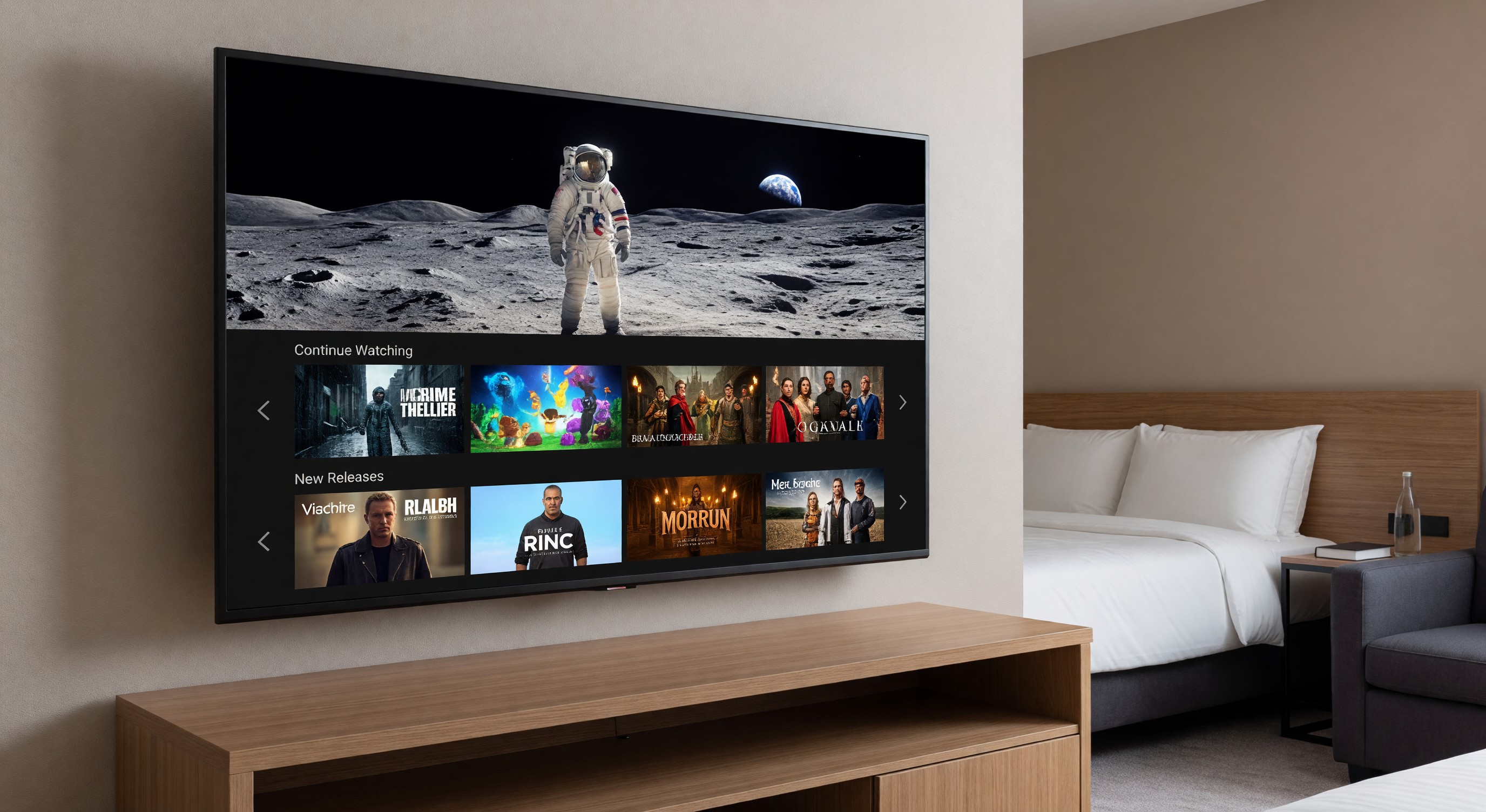
The expectation that hotel guests can watch their personal streaming services in the guestroom has become standard across all hotel tiers. Netflix, Disney+, HBO Max, Hulu, and the broader streaming landscape have replaced cable TV as the primary entertainment medium for significant portions of hotel guests — and those guests expect to watch their content, with their account, on the hotel TV.
Meeting this expectation requires more than just a smart TV. It requires a thought-out casting and streaming architecture that works reliably across the full range of guest devices and use cases, maintains proper security isolation, and can be managed at scale.
The Core Problem: How Do You Let Guests Use Their Accounts Without Compromising Security or Leaving Credentials on the TV?
This is the central design challenge of hotel streaming. The options:
Guest login on the TV: The guest logs into Netflix (or any app) directly on the TV’s built-in apps. Simple, familiar, universally understood. The problem: guests must remember to log out at checkout, and they often don’t. The next guest can then access the previous guest’s account. This is a real privacy violation that hotels must prevent.
Hospitality streaming platform: A managed solution (SONIFI STAYCAST, Netflix via Marriott’s system, Apple’s AirPlay hotel mode) where the hotel manages the session and automatically clears credentials at checkout. More complex and often more expensive, but solves the credential persistence problem.
Casting from guest device: The guest casts from their smartphone, tablet, or laptop to the TV using Chromecast, AirPlay, or Miracast. The streaming authentication lives entirely on the guest’s device — no hotel TV storage of credentials. Checkout requires no special action.
Pre-configured app access: Some hospitality interactive TV platforms integrate with streaming services to provide access without a personal account (a “hotel Netflix” subscription). This is relatively uncommon due to cost and service agreement complexity.
Casting Technology Options
Chromecast for Hotels
Google’s Chromecast for Hotels (part of the Cast for Business program) is the most widely deployed casting solution in the US hotel market. The approach:
A Chromecast device is connected to the TV in each room. The hotel configures a private WiFi network for casting. When a guest wants to cast, they connect to this private network via a QR code or room-specific code, and their casting session is isolated from other guests.
Key features:
- Guest isolation (each room gets a private casting network)
- Automatic session cleanup at checkout (via PMS integration)
- Works with any Chromecast-compatible app on Android or iOS
- Does not require the guest to log in on the TV
Integration requirements: Chromecast for Hotels requires PMS integration to trigger session cleanup at checkout. Without this integration, sessions must be manually cleared.
Network requirements: Requires the hotel’s network infrastructure to support client isolation and the casting traffic. Each room typically needs about 25 Mbps of bandwidth available for HD streaming.
Apple AirPlay for Hotels
Apple launched AirPlay hotel support in 2021, enabling hotels to allow AirPlay casting without the guest needing to be on the same WiFi network as the TV. This is significant because AirPlay’s standard operation requires device and TV to be on the same network — which creates security concerns in a hotel environment (you don’t want all guests sharing the same network with AirPlay enabled).
The hotel AirPlay solution uses a room-specific code (typically displayed on the TV) that guests enter on their Apple device. This authenticates the casting session without network-level co-location.
Requirements: Apple TV 4K or compatible third-party hardware in each room, iOS devices running recent iOS versions. AirPlay is Apple ecosystem only — Android users need an alternative.
Miracast
Miracast is a wireless display standard supported by many Android devices and Windows computers. Unlike Chromecast (which streams from the internet to the TV) or AirPlay, Miracast mirrors the device screen directly to the TV.
Miracast support in hotel TV systems is less universal, and the connection process is less reliable than Chromecast or AirPlay. Most hotels deploying a casting solution focus on Chromecast and/or AirPlay as the primary options and treat Miracast as a secondary capability.
Hospitality Interactive TV Platforms
Several platforms integrate streaming capability into a broader hotel interactive TV experience:
SONIFI STAYCAST: One of the leading hospitality streaming solutions. Provides Chromecast functionality with hotel-grade session management plus the branded hotel interactive TV features (folio review, hotel directory, etc.).
LG ProCentric: LG’s hospitality TV management platform, which integrates with various streaming and casting options.
Samsung LYNK: Samsung’s hospitality TV management solution with similar capabilities.
These platforms sit above the TV hardware and casting technology, providing the management layer for session control, content, and hotel service integration.
Guest Experience Design
The Ease-of-Use Imperative
Streaming and casting technology that requires a multi-step setup process will be used by guests who are technologically sophisticated — and ignored by everyone else. The goal is a setup process that takes under 60 seconds and works the first time.
Best practice UX flow:
- TV displays a QR code or simple code specific to the room
- Guest scans QR or enters code on their device
- Casting begins within 10 seconds
- No WiFi settings or network passwords required
If the process requires guests to download an app first, you’ve already lost most of them.
Clear In-Room Instructions
Post simple, large-format instructions at the TV or on the bedside technology guide. Include:
- Which casting technologies are supported (Chromecast, AirPlay, or both)
- The specific steps to connect (QR code location, what to do on the device)
- What to do if it doesn’t work (call the front desk, restart steps)
Test the instructions by having someone unfamiliar with the setup follow them. If they can complete the connection without assistance on the first attempt, the instructions are clear enough.
Privacy Communication
Communicate clearly to guests that:
- Their streaming credentials are never stored on the hotel TV
- The session is automatically cleared when they check out
- Their casting activity is isolated from other guests
This addresses a real guest concern and demonstrates that the hotel has thought about privacy, which itself is a positive brand signal.
Network Architecture for Streaming
Casting and streaming are significantly more bandwidth-intensive than other guest technology use. Design considerations:
Bandwidth allocation: Assume streaming guests will use 5–25 Mbps per screen (depending on content quality). During evening peak hours when guests are most likely to stream, plan for 50–70% of guestroom TVs actively streaming simultaneously.
Wireless coverage in rooms: Casting requires reliable wireless connectivity between the guest’s device and the Chromecast or Apple TV. If the room wireless coverage is weak at the TV’s location, casting performance will be unreliable.
VLAN design: The casting network should be on a separate VLAN from both the general guest WiFi and the hotel property IoT network. Cast traffic should be restricted from accessing any hotel systems.
Maintenance and Support
Common Issues and Troubleshooting
Casting won’t connect: Check that the Chromecast or Apple TV device is powered and connected. Verify the room’s casting network is active. Restart the Chromecast or Apple TV. If the issue persists, check whether the backend management system shows the device as online.
Choppy or buffering video: Usually a network issue. Check the bandwidth available to the room and whether there’s a network congestion event. Run a speed test from the TV’s location.
Session from previous guest still showing: This indicates the session cleanup process failed. Troubleshoot the PMS integration and manually clear the session. Log the failure for pattern analysis — if this happens repeatedly, there’s an integration reliability problem.
TV doesn’t show the casting interface: May indicate the hospitality TV platform software needs an update, or the TV is in a mode that bypasses the hotel UI.
FAQ
What’s the best casting solution for a 200-room upscale hotel? Chromecast for Hotels with PMS integration is the most universal solution for this tier — it works across Android and iOS devices and is well-supported. If the property has a high Apple user demographic (business travelers, luxury leisure), adding AirPlay support provides a better experience for that segment. A single solution that works for both is better than having guests figure out which technology applies to them.
How do we handle guests who want to watch content their device can’t cast? If a guest’s device doesn’t support casting, they either need to connect via HDMI (have HDMI cables available at the front desk) or access content through the TV’s built-in apps with manual logout management. Make the front desk aware of how to handle these cases.
Should we allow Netflix on the TV’s built-in app without a casting solution? Only if you have a reliable way to automatically log out the account at checkout. Without an automatic session clear, the privacy risk to the previous guest is real and the liability exposure is meaningful. Built-in app access without automatic session management is not an acceptable configuration.
What does a streaming-ready TV upgrade cost for a 200-room hotel? Hardware (Chromecast devices or Apple TV 4K): $50–$200 per room depending on model. Hospitality management platform subscription: $15–$35 per room per month. Network upgrades to support the additional bandwidth: varies widely. Total first-year cost for a complete solution: typically $40,000–$80,000 for hardware and setup plus ongoing subscription costs.
Further Reading from Authoritative Sources
- HFTP hotel streaming technology and guest connectivity standards — HFTP provides hospitality technology standards, guest connectivity guidance, and technology integration frameworks applicable to hotel streaming and casting platform evaluation, network architecture design, and guest privacy protection in casting deployments.
- AHLA hotel guest technology and streaming deployment standards — AHLA provides hospitality industry guidance on guest technology deployment standards, streaming and casting investment frameworks, and guest experience design applicable to hotel casting technology selection, implementation planning, and guest privacy compliance.