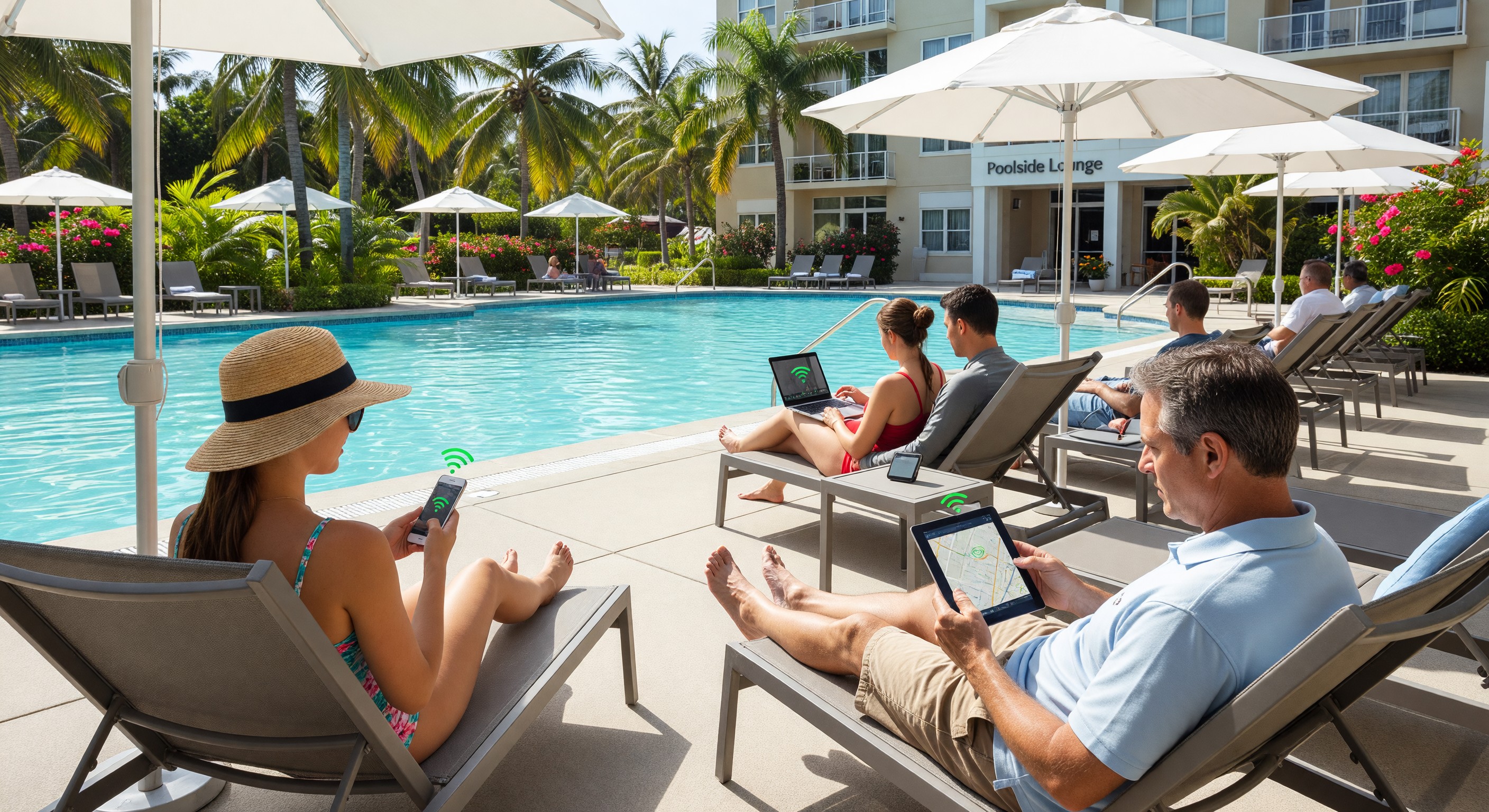
Guest expectations for WiFi coverage extend well beyond the guest room. Resort and full-service hotel guests expect reliable WiFi at the pool, in the courtyard, at outdoor dining areas, and in covered parking areas. Business travelers expect WiFi in the outdoor patio or terrace meeting space. Meeting and event planners expect wireless coverage in the outdoor ceremony and reception areas they’re booking.
Extending quality WiFi coverage to outdoor spaces presents different technical challenges than indoor coverage — weather exposure, extended distances, interference from outdoor RF environments, and the difficulty of running wired infrastructure to outdoor locations all complicate outdoor wireless design.
Outdoor vs. Indoor Access Point Requirements
Standard indoor WiFi access points are designed for climate-controlled environments — they’re not rated for direct weather exposure, cannot handle temperature extremes, and are not sealed against moisture and insects. Deploying indoor APs in outdoor locations creates rapid equipment failure and voids warranties.
Outdoor-rated access points (Cisco Meraki MR86, Ubiquiti UniFi U6 Extender, HPE Aruba AP-577, and similar products) are designed for outdoor deployment:
- Weather sealing: IP67 or IP55 rated enclosures that prevent rain and moisture intrusion
- Temperature range: Rated for operation from -40°F to 140°F+ (covering outdoor temperature extremes)
- UV resistance: Enclosures that resist UV degradation from direct sunlight
- Mounting hardware: Pole mount, wall mount, or ceiling mount hardware rated for outdoor use
- Corrosion resistance: Hardware coated or manufactured for resistance to coastal salt air
Outdoor APs are more expensive than equivalent indoor APs ($300–$800 per unit versus $150–$400 for indoor), but the cost is small relative to the infrastructure installation cost and the guest experience impact.
RF Design for Outdoor Spaces
Outdoor RF propagation behaves differently from indoor environments — without walls to contain the signal, outdoor APs need to be designed to cover specific areas without creating interference with indoor network elements or neighboring properties.
Directional antennas: Outdoor APs with directional antenna patterns focus coverage on the intended area (a pool deck, a courtyard) rather than radiating in all directions. A directional AP mounted on a building wall facing the pool can provide dense coverage across the pool deck without the signal spreading to irrelevant areas.
Coverage radius planning: Outdoor APs provide broader coverage than indoor APs in open spaces, but fewer physical barriers to help channel capacity. A single outdoor AP covering an open pool deck may serve the same number of devices as an indoor AP serving 4–6 rooms. For resort pools with hundreds of guests simultaneously, multiple APs with overlapping coverage are needed to maintain adequate capacity.
Channel selection: Outdoor environments typically experience more RF interference than indoor (neighboring properties’ WiFi, Bluetooth, IoT devices, cordless phones) on 2.4 GHz. 5 GHz operation reduces interference but provides less range. WiFi 6E’s 6 GHz band offers the best combination of capacity and reduced interference for outdoor deployments where line of sight between AP and client devices is available.
Backhauling outdoor APs: Wired Ethernet is the preferred backhaul for outdoor APs — providing reliable, full-bandwidth backhaul without the capacity limitations of wireless mesh. Running conduit to outdoor AP locations is the primary cost driver of outdoor WiFi installations. Where trenching or conduit is impractical, outdoor wireless mesh backhaul (AP-to-AP wireless connection) provides an alternative, with some capacity trade-off.
Specific Outdoor Coverage Scenarios
Pool and beach decks: High-density deployment challenge — many concurrent users in a relatively compact area. Focus on capacity (multiple APs, 5 GHz/6 GHz priority for capable devices) rather than coverage range. Watertight mounting hardware and splash-zone-appropriate placement (not directly above pool water) required.
Outdoor dining and event spaces: Variable density — empty outdoor dining has zero demand; fully booked outdoor reception can have 100+ concurrent devices. Coverage design should support peak event density. Temporary uplift from supplemental AP deployment for major events may be needed if permanent infrastructure doesn’t cover peak.
Outdoor corridors and parking: Coverage for guests using hotel apps for parking validation, EV charging management, or valet requests in the parking area. Single AP per level of an open-deck parking structure provides adequate coverage for parking-area app use (not streaming video, just service request apps).
Tennis courts, sports courts, and recreational areas: Low user density, modest bandwidth requirement. One outdoor AP per court complex typically adequate, positioned for coverage of the activity area.
Formal garden and walking paths: Landscape-appropriate AP mounting (disguised as rocks or landscape elements, or pole-mounted at non-intrusive heights) provides coverage without architectural impact.
Integration with Indoor Network
Outdoor APs must be integrated with the indoor wireless controller platform — the same SSID, the same security policies, and seamless roaming as guests move from indoor to outdoor spaces. A guest receiving a phone call over hotel WiFi who walks from the lobby to the pool deck should not experience a call drop at the threshold.
Controller platform: The same cloud-managed wireless controller (Cisco Meraki, HPE Aruba Central, Ubiquiti UniFi) should manage both indoor and outdoor APs, providing unified RF management, roaming configuration, and monitoring.
Guest network isolation: Outdoor APs should enforce the same guest network isolation as indoor APs — preventing guest-to-guest communication and isolating guest traffic from hotel operational systems. Do not connect outdoor APs to a different VLAN than indoor guest WiFi without verifying security policies apply.
Monitoring: Outdoor APs are exposed to weather events, physical disturbance, and power supply fluctuations that indoor APs are not. Enhanced monitoring with alerts for outdoor AP availability should be configured — a downed outdoor AP may not be noticed until a guest complaint.
Frequently Asked Questions
How much does outdoor WiFi coverage cost for a hotel pool area? A typical 200-person capacity hotel pool deck requires 2–4 outdoor access points for adequate coverage and capacity. AP hardware cost: $600–$3,200 (2–4 units at $300–$800 each). The dominant cost is infrastructure installation — conduit trenching and wiring to outdoor AP locations typically costs $500–$2,000 per AP location depending on distance from the building and site conditions. Total installed cost for pool deck WiFi: $5,000–$15,000 at most properties. For resort pools with hundreds of simultaneous users, multiple APs and higher capacity backhaul can push costs to $20,000–$50,000.
Can I extend hotel WiFi outdoors using a range extender or wireless bridge? Consumer WiFi range extenders are not appropriate for hotel outdoor coverage — they halve available bandwidth on the extended network and don’t support seamless roaming. Wireless bridge links (outdoor point-to-point or point-to-multipoint) can backhaul network connectivity to outdoor AP locations when running Ethernet conduit is not feasible, but require line-of-sight between the bridge endpoints and professional installation. Mesh wireless systems from enterprise vendors (Cisco Meraki, Ubiquiti) provide a better wireless backhaul option than consumer extenders for limited outdoor deployments.
What is the typical WiFi speed guests can expect at a hotel pool? Real-world outdoor WiFi performance varies significantly based on AP count relative to concurrent users. A single outdoor AP serving 50+ simultaneous users will provide 5–15 Mbps per device — adequate for social media, messaging, and video calls, but not 4K streaming. A well-designed multi-AP pool deck system targeting 10–20 users per AP provides 20–50+ Mbps per device for most guests. Setting realistic guest expectations (pool WiFi is adequate for social media and video calls; heavy streaming is better in the guest room) prevents satisfaction gaps.
Should hotel outdoor WiFi cover the parking lot? Parking area WiFi coverage supports guests using hotel apps for parking validation, valet requests, and EV charging management. For hotels with LPR-enabled parking systems, staff devices verifying vehicle access may also benefit from parking lot WiFi. Single-AP coverage of surface parking lots and one AP per level for parking structures provides adequate connectivity for these low-bandwidth applications. Full streaming-grade coverage of parking areas is generally not a justified investment versus other guest experience priorities.
Further Reading from Authoritative Sources
- HFTP hotel wireless network standards and outdoor coverage resources — HFTP provides hospitality technology professionals with wireless network standards, outdoor AP deployment guidance, and integrated WiFi architecture frameworks applicable to hotel outdoor coverage program design and management.
- DOE building connectivity and wireless infrastructure resources — The DOE Buildings program provides commercial building wireless infrastructure guidance, connectivity technology standards, and network infrastructure resources applicable to hotel outdoor WiFi design and specification.